Dial in the
perfect light.
A tiny macOS menu bar app to control your Logitech Litra lights. Brightness, color temperature, presets — without ever leaving your workflow. No G Hub required.
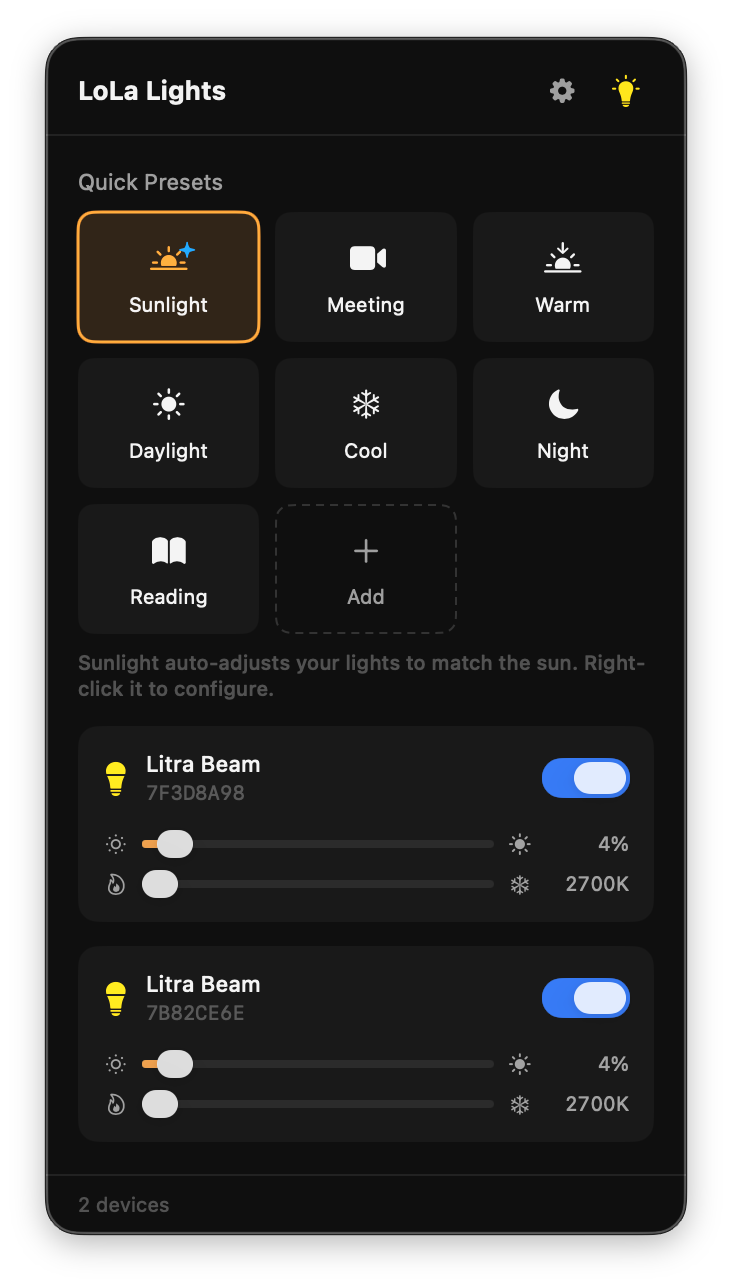
Sunlight Mode
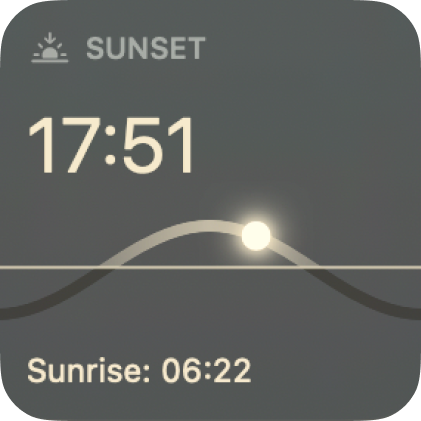
Automatically adjusts brightness and color temperature based on the position of the sun. Your lights follow the natural rhythm of the day — warm at dawn, bright at noon, soft at dusk.
Menu Bar Native
Lives in your menu bar. No dock icon, no window clutter. Click the lightbulb and you're in control.
Quick Presets
One-click presets for meetings, reading, night mode and more. Create your own custom presets too.
Auto-Detection
Plug in your Litra and it just works. No drivers, no config files, no external tools required.
Multi-Device
Control multiple Litra lights independently or all at once with a single master toggle.
Screen Sleep
Automatically turn off lights when your display sleeps and restore them when you wake it up.
Lightweight
Built with native Swift and SwiftUI. No Electron, no bloat. Uses macOS IOKit directly.
Supported Devices
The Best Litra Beam App for Mac — No G Hub Required
LoLa Lights is a native macOS alternative to Logitech G Hub for controlling your Litra Beam, Litra Beam LX, and Litra Glow desk lights. Instead of running a heavy gaming software suite, LoLa Lights lives in your menu bar — giving you instant access to brightness, color temperature, and preset controls. Whether you’re on a video call, streaming, or working late, dial in the perfect lighting in one click. Built with Swift and SwiftUI, it connects directly via USB with zero configuration.
Frequently Asked Questions
Is LoLa Lights a Logitech G Hub alternative for Litra?
Yes. LoLa Lights is a lightweight macOS app that replaces Logitech G Hub for controlling Litra Beam, Litra Beam LX, and Litra Glow lights. You don't need G Hub installed at all — LoLa Lights connects directly to your Litra via USB using macOS IOKit.
Can I control my Litra Beam on Mac without G Hub?
Absolutely. LoLa Lights is a standalone Litra Beam app for Mac that requires no drivers, no G Hub, and no configuration. Just plug in your Litra Beam and it auto-detects. Control brightness, color temperature, and save presets — all from your menu bar.
Which Logitech Litra devices are supported?
LoLa Lights supports the Logitech Litra Beam, Litra Beam LX, and Litra Glow. You can control multiple devices independently or together with a single master toggle.
What is Sunlight Mode?
Sunlight Mode automatically adjusts your Litra's brightness and color temperature throughout the day based on the real position of the sun. Warm light at dawn and dusk, bright cool light at noon — so your desk lighting matches natural daylight without any manual adjustments.
Why not just use Logitech G Hub?
G Hub is a large gaming-focused application (~1 GB) that controls all Logitech peripherals. If you only need to control your Litra lights, LoLa Lights is a much lighter alternative — native Swift, no bloat, instant access from the menu bar, plus features G Hub doesn't have like Sunlight Mode and screen sleep integration.